 Pinyin for kids aged 3-6
Point at the world. Learn the word.
A child photographs something nearby and gets its Chinese character, pinyin and pronunciation. The living room, the park and the supermarket all work as a classroom.




A look inside
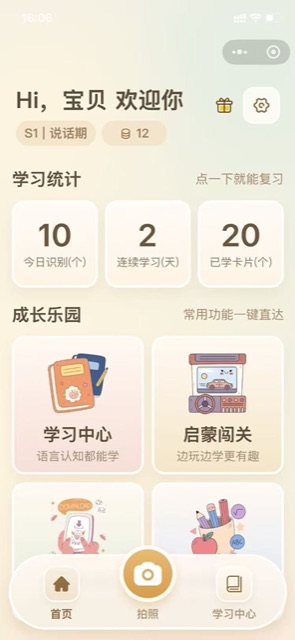
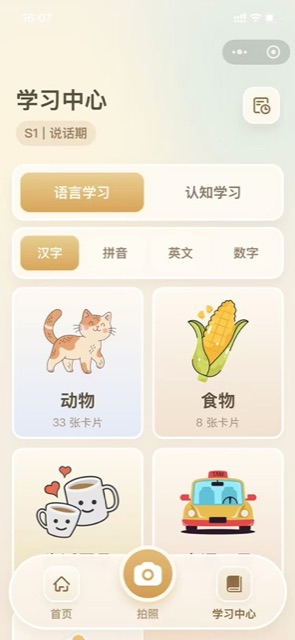
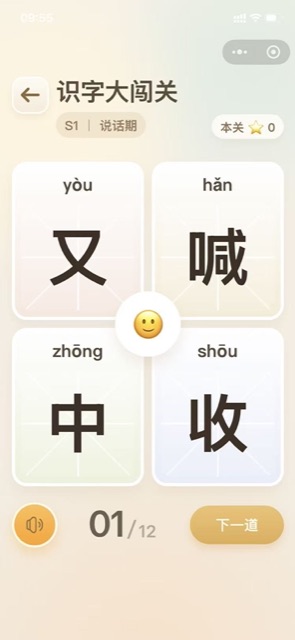
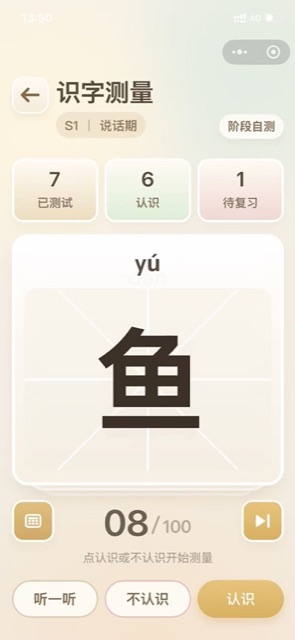
A few real screens, so you know what to expect.
Four things it does
A card for every photo
Point the camera at an object and get the character, its pinyin and how to say it. No typing, no hunting through a keyboard.
Stages, not a wall
Cards unlock in stages that begin at the speaking phase, so a child new to characters is never dropped into the deep end.
Progress you can see
The home screen tracks cards recognised today, the current streak and the total learned, so a parent can see the week at a glance.
Review that feels like play
Character challenges, shadow matching and tic tac toe turn repetition into something a child will happily do for five minutes.
A leaf on the way to school
The question comes mid walk. The card arrives before the walk ends.
The fruit aisle
Apple, banana, dragon fruit, learned while the shopping gets done.
Ten minutes before bed
Flip through the day, hear each word once, then lights out.
Open the mini app
Search for Pinyin Lens inside WeChat, or scan the code on this page.
Tap the camera
Point it at the object and take the shot.
Listen once, say it once
Tap the card to hear the word, then move on to the next thing.
What ages is Pinyin Lens for?
Do I need to create an account?
What if the recognition is wrong?
How much screen time is reasonable?
Features follow the current version inside the app. This page is updated with each release.
Start with one small app.
Pick the problem you have right now, scan the code, and you are using it within thirty seconds.